







Play Farm For Ever Walkthrough
Farm For Ever
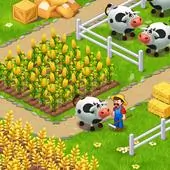
Step into the world of Farm For Ever, where you can unleash your inner farmer! Cultivate a thriving agricultural paradise by managing your own farm effectively. Grow a rich variety of crops, nurture adorable animals, and engage in trading to expand your farm and develop your skills. The joy of farming comes to life as you save your progress and see your hard work pay off.
Farm For Ever is designed for both computer and mobile platforms, making it accessible for everyone. On a computer, navigate your farm using the WASD keys or arrow keys to move around. Rotate the camera using the Q and E keys, and interact with objects by pressing the spacebar. Use the left mouse button to move, interact, or even attack if needed. The right mouse button opens the action menu or cancels any ongoing action, making it easy to manage your tasks effectively.
For mobile players, Farm For Ever offers a touch-friendly experience. Simply tap the screen to activate a joystick for navigation through your farm. Zoom the camera in or out using a two-finger pinch, allowing for a better view of your crops and animals. The joystick feature makes it simple to explore your farm with ease, helping you manage your tasks efficiently, whether growing crops, caring for animals, or trading goods.
How to play free Farm For Ever game online
Once in the game, use the joystick to navigate through your farm and interact with crops and animals by tapping on them. You can zoom in or out to have a better perspective of your surroundings. Utilize the action menu for various tasks, such as planting seeds, feeding animals, or trading goods with other players.
 1 Player
 3D Games
 Adventure
 Animal
 Baby Hazel
 Farm
Farm
Similar Games
-
Knife Throw Master
-
LEG Stretch digital circus 3
-
Arena : Box
-
Rotating Skibidi
-
Super Hero Race
-
Cute Doll Cook Cakes
-
Halloween Breakout
-
A Song of Ice and Fire
-
Baby Taylor Horse Riding Game
-
Flappy Pou
-
Stack Tower 2D
-
Find Easter Eggs
-
Spiderman Triple Jump
-
Car Craft Race - Fun & Run 3D Game
-
Power Boat Racing 3D
-
Bouncy Musical Ball
-
Bike Stunt Race Master 3d Racing
-
Stack Ball Legend
-
Banana Berry Yogurt Pops
-
Gumball Darwins Yearbook